LCS Propeller Installation & Configuration Guide
The Lift Connect System (LCS) lets you easily configure your propulsion setup, no tools required, with a range of options for different riding experiences,…
LCS INSTALLATION & CONFIGURATION GUIDE
CONFIGURATIONS
OVERVIEW
The Lift Connect System (LCS) lets you easily configure your propulsion setup, no tools required, with a range of options for different riding experiences, depending on your motor size. Follow these steps to configure your LCS setup.

Do not handle the propeller while the battery is connected.
- Only use the throttle when prepared, clear, and ready.
- Keep fingers, toes, and body parts clear of the propeller, as contact with the spinning propeller can cause serious injury or death.
INSTALLATION
STEP 1: DETERMINE YOUR PROPULSION MOTOR SIZE
Lift offers 2 different propulsion sizes for different applications.
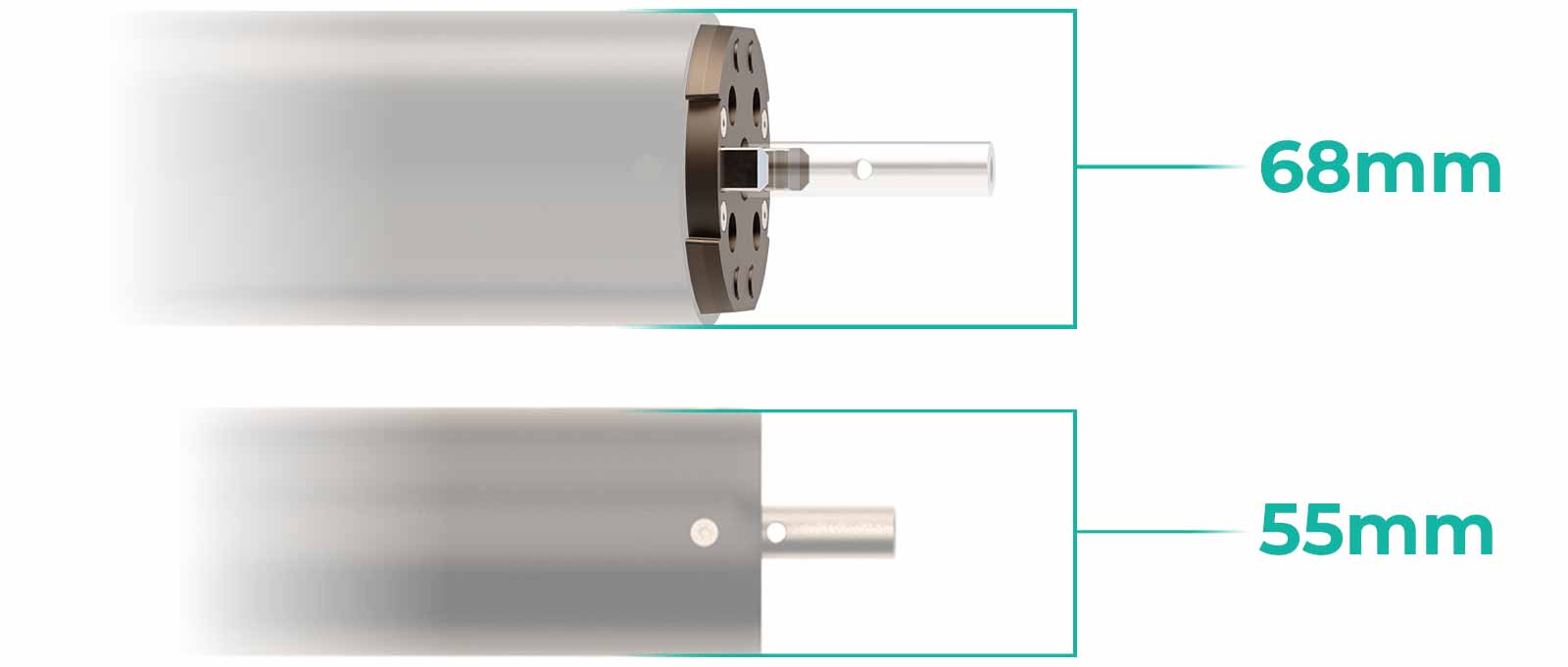
The 68mm motor propulsion ships with our LIFT5, LIFT5 F, LIFT4, and LIFT3 eFoil products. If your setup has an LCS base plate installed, you have a 68mm motor propulsion.
The smaller 55mm motor propulsion ships with our LIFTX lineup, and is available on our high-mount propulsion accessory. If you have a 55mm motor propulsion, the LCS is already integrated into your setup. Please proceed to STEP 4.
Please identify your motor size to ensure the components you select are compatible with your motor size.

STEP 2: DO YOU HAVE LCS INSTALLED?
Our newer Lift eFoils (LIFT4, LIFT5, and LIFTX) come standard with the LCS system installed.
The LCS system can be visually identified by the quick-release tabs on the components:
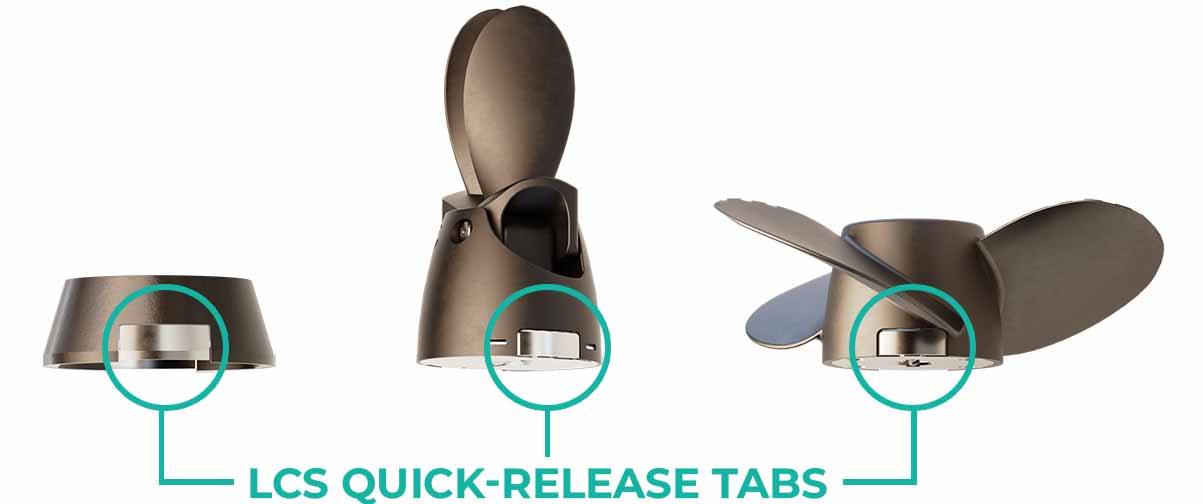
If your setup has these tabs present, your LCS system is already installed and ready to configure. Proceed to STEP 4. If not, continue to STEP 3.
STEP 3: INSTALL THE LCS BASEPLATE
If your system is not currently set up for LCS components (LIFT5 F, LIFT 3 or older), follow these steps to remove your existing setup and install the LCS baseplate.
Before beginning installation of your LCS components, remove any existing propulsion components, such as a propeller, jet, or shroud. The base of the motor should be clear and visible, as shown below.
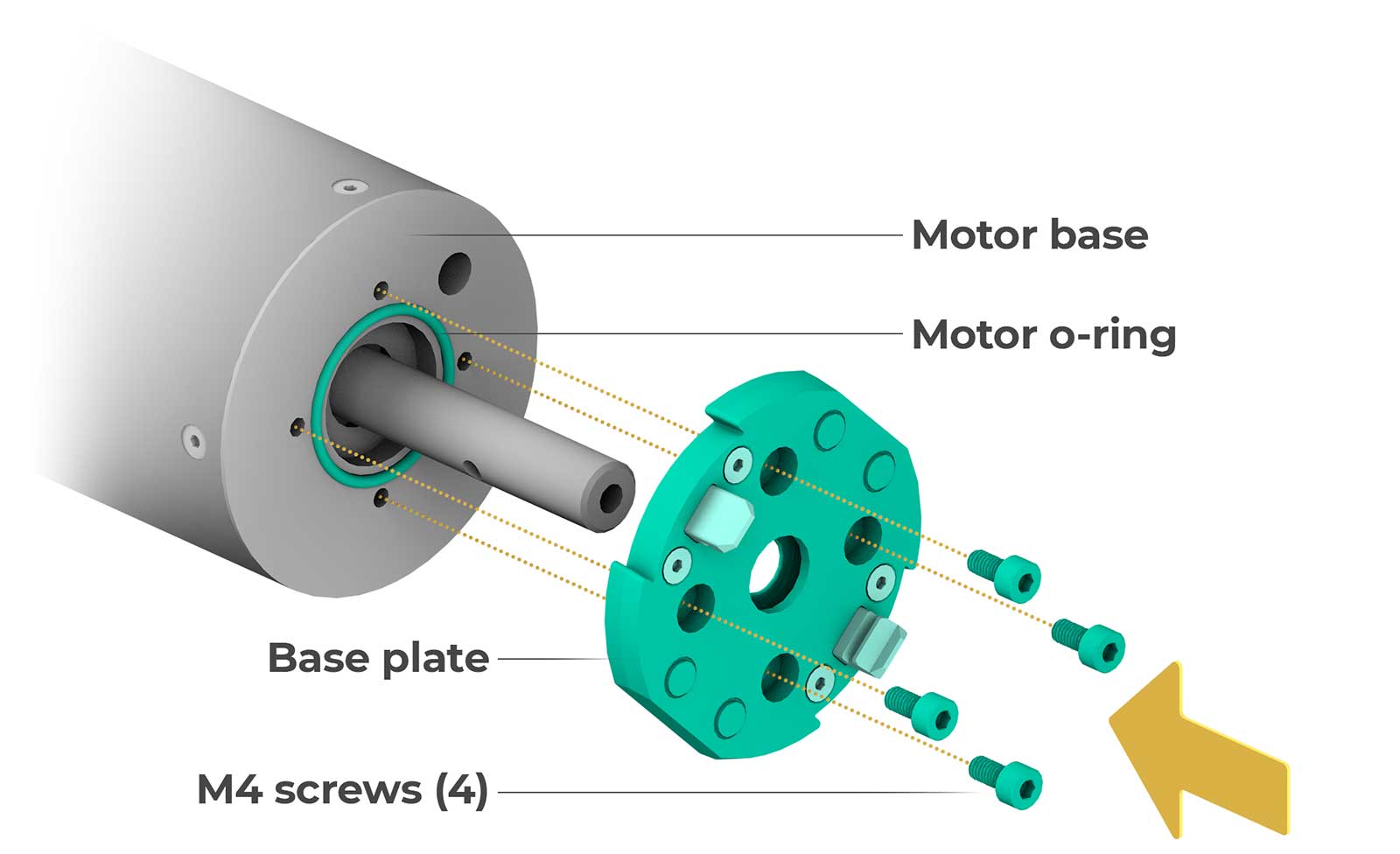
Please note that your previous hardware setup may have included an o-ring (shown below). You can re-use your existing o-ring, or install the included o-ring from your LCS configuration, if it includes one.
Ensure the o-ring is tightly in place before attaching the LCS base plate. Next, use the four M4 screws to attach the LCS base plate to the base of your motor. Apply thread-locking fluid to screws before installing them with the included 3mm hex key. Do not overtighten the M4 screws.
STEP 4: INSTALLING LCS COMPONENTS
To install LCS components, depress the tabs while pushing the component onto the motor shaft. You may need to rotate the component once it is on the motor shaft to align the tabs with the connection point. Once properly aligned, you should hear it click into place, creating a firm connection. Check to ensure the tabs have returned to their original position once connected.
To remove LCS components, depress the tabs and rotate the components while pulling them away from the motor shaft. Do not use excessive force.
Please refer to the installation information below for your specific propulsion size:
For availability and additional product information on the features and benefits of the configurations below, please visit the Lift Accessories & Parts Page.
68MM MOTOR PROPULSION & PROPELLERS
Refer to the guide below for different 68mm configurations, including the required components, which are listed below in order of installation:
LCS Jet
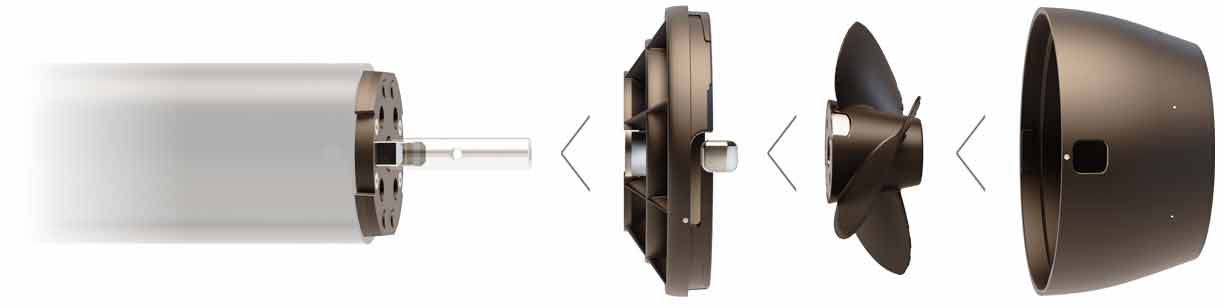
Components:
• LCS Base Plate
• LCS Jet (Shroud, impeller, and nozzle)
View the LCS Jet Installation Guide
LCS Fixed Propeller w/ LCS Shroud
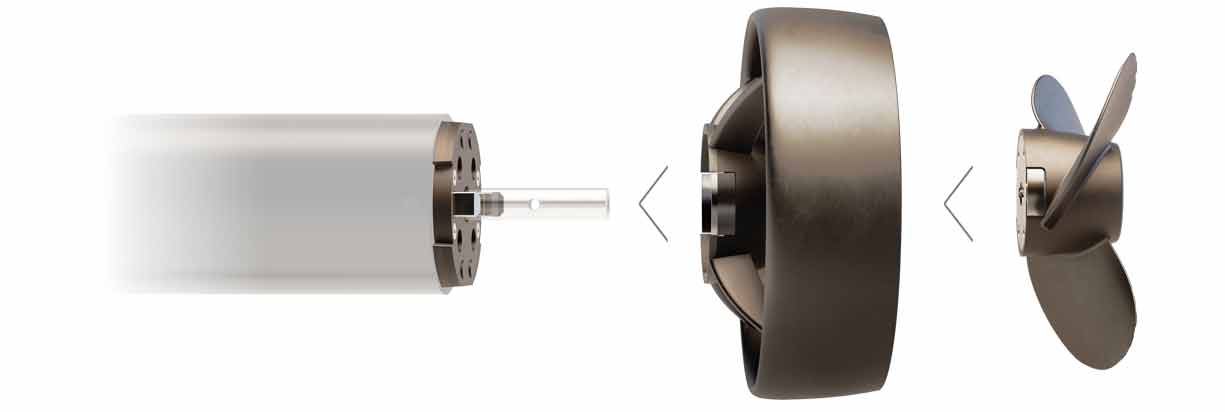
Components:
• LCS Base Plate
• LCS Shroud
• LCS Fixed Propeller
LCS Fixed Propeller w/ LCS Tail Cone
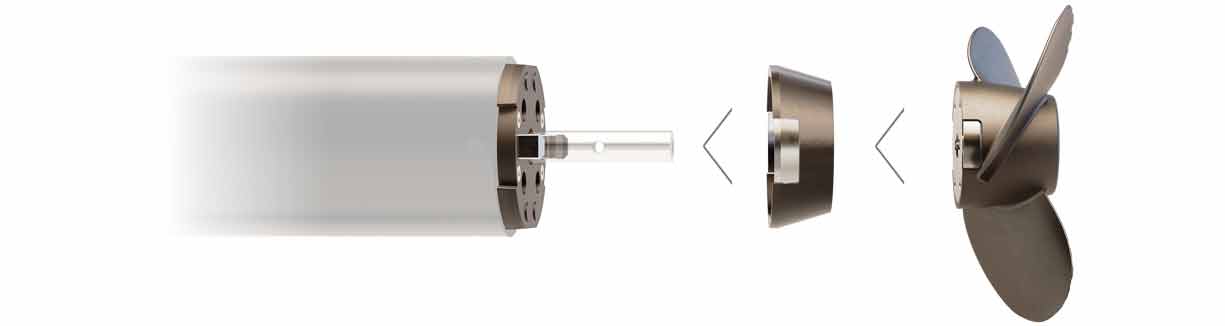
Components:
• LCS Base Plate
• LCS Tail Cone
• LCS Fixed Propeller
LCS Folding Power Propeller

Components:
• LCS Base Plate
• LCS Tail Cone
• LCS Folding Power Propeller
LCS Folding Glide Propeller

Components:
• LCS Base Plate
• LCS Tail Cone
• LCS Folding Glide Propeller
55MM MOTOR PROPULSION & PROPELLERS
Refer to the guide below for different 55mm configurations, including the required components, which are listed below in order of installation:
- LCS Base Plate
- LCS Tail Cone
- LCS Shroud
- LCS Jet
LCS Folding Glide Propeller

Components:
• LCS Folding Glide Propeller
LCS Folding Power Propeller

Components:
• LCS Folding Power Propeller
LCS Fixed Propeller
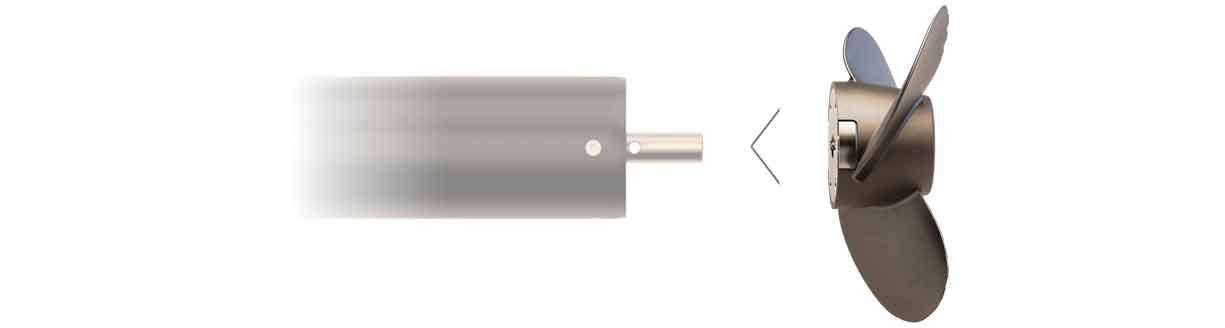
Components:
• LCS Fixed Propeller